BoltFusionSuper Digital Employees
English

Products & Capabilities

Business Digital Employee Platform

Build and debug with Work, provide enterprise knowledge through Spec, and organize governance with Agent Factory. Build a team of Business Digital Employees tailored to your actual tasks.

BOLTFUSION WORK

The Workbench for IT Super Digital Employees

Organize business system implementation, custom development, and agent-building tasks. Execute, debug, and verify results, with centralized governance through BoltFusion Agent Factory.

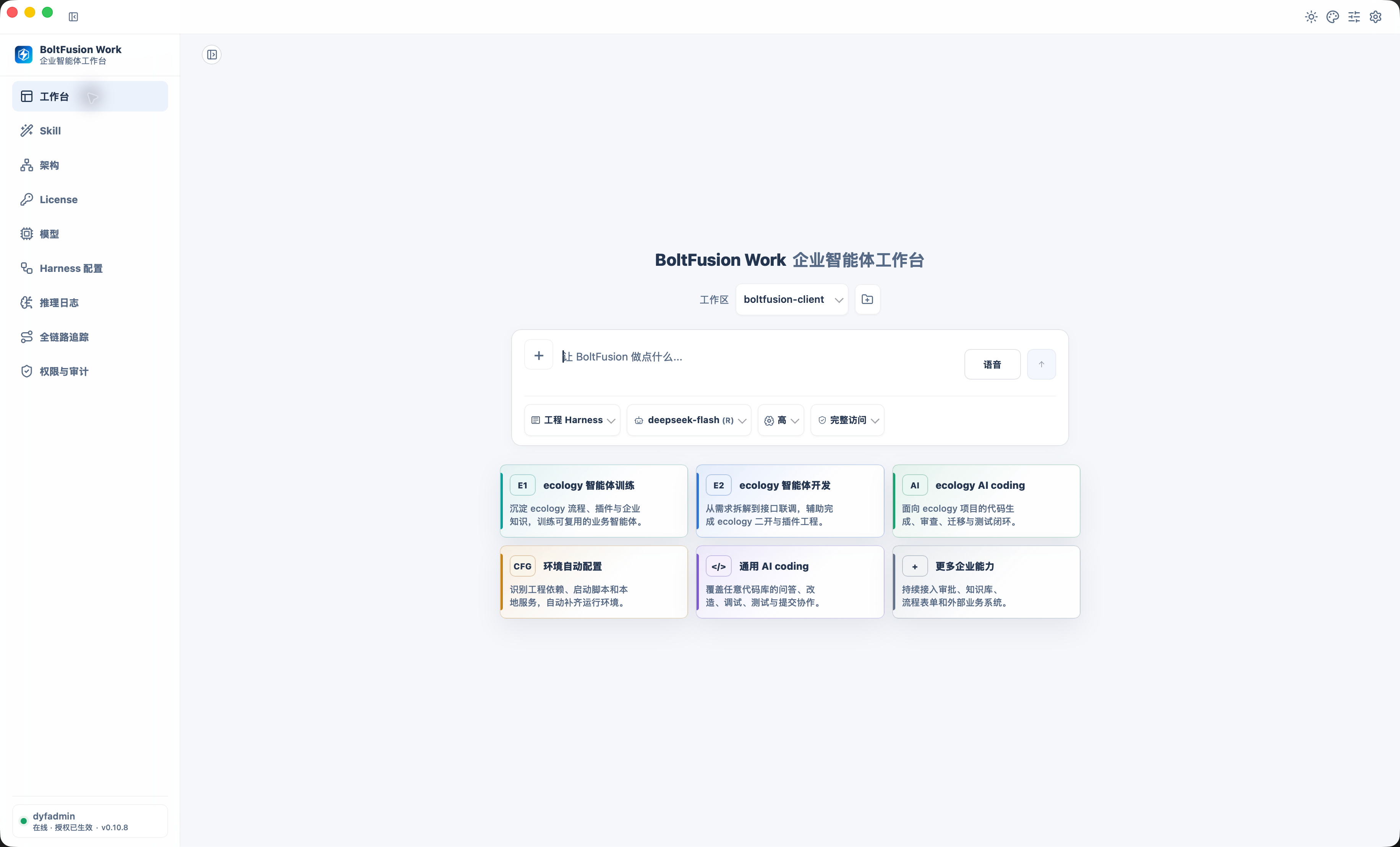
BoltFusion Work Task Workbench
Organize and execute project tasks in one workbench

Create an account in Spec, download Work, and connect the knowledge spaces your project needs.

Windows · x641.1.0 · 589.3 MBUpdated (Beijing time)macOS · Apple Silicon1.1.0 · 354.0 MBUpdated (Beijing time)

Release notes

BOLTFUSION SPEC

AI Knowledge Base

Turn API references, configuration standards, project documents, and implementation experience into searchable, citable knowledge for building, executing, and maintaining digital employees.

Spec Sign-in
Spec Sign-in

BOLTFUSION AGENT FACTORY

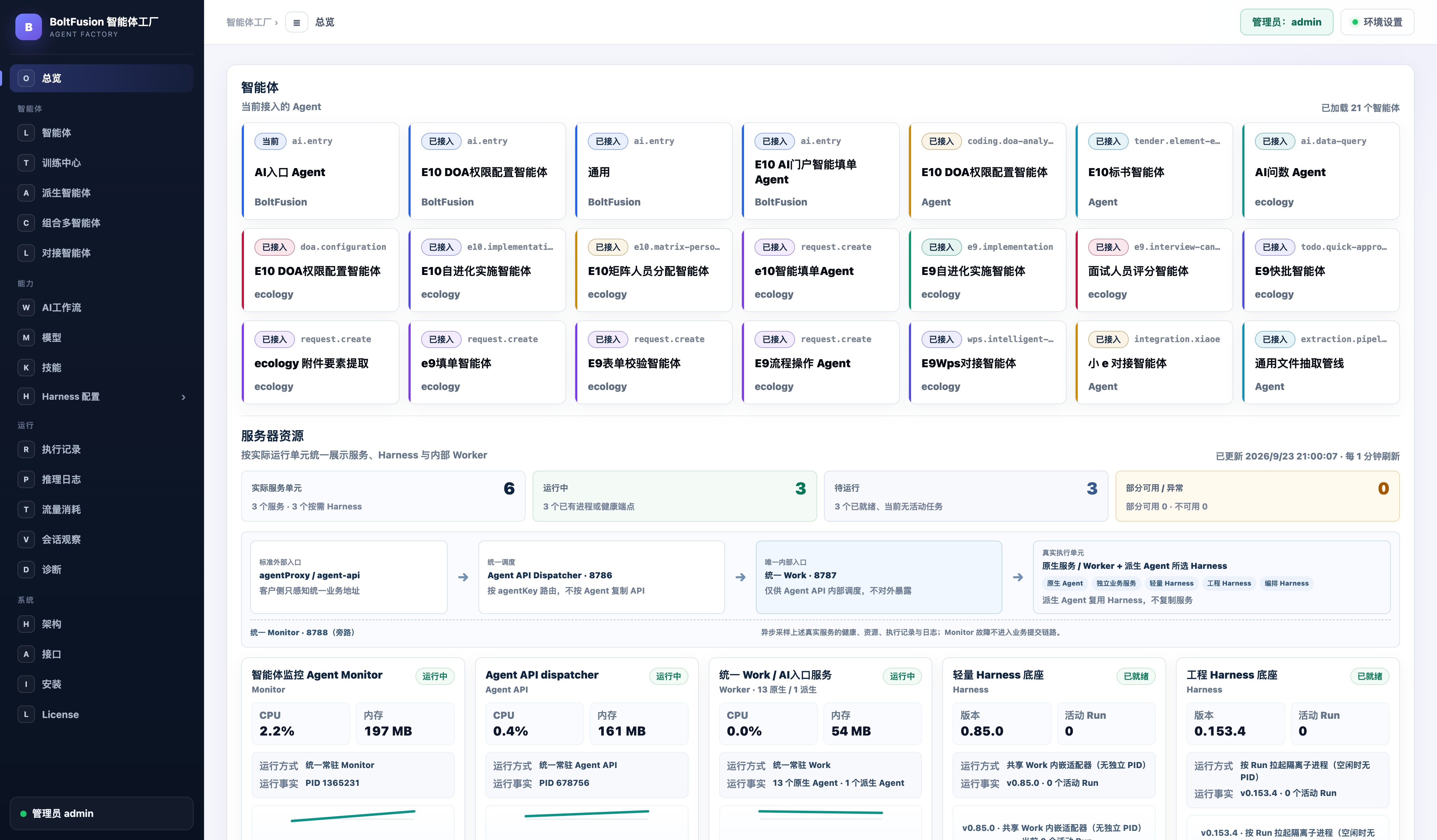
Agent Factory

Manage business agents built in Work, along with their capabilities, tools, and execution flows.

Explore Agent Factory ↓
Agents & Runtime Resources Overview

FILM

Meet Super Digital Employees

See how digital employees handle complex tasks, from product collaboration to hands-on implementation.

Watch product introduction

PRODUCT INTERFACES

See work in progress and execution records.

Explore the workbench interface, from task execution to permission management. Select an image to view it at full size.

BOLTFUSION WORK

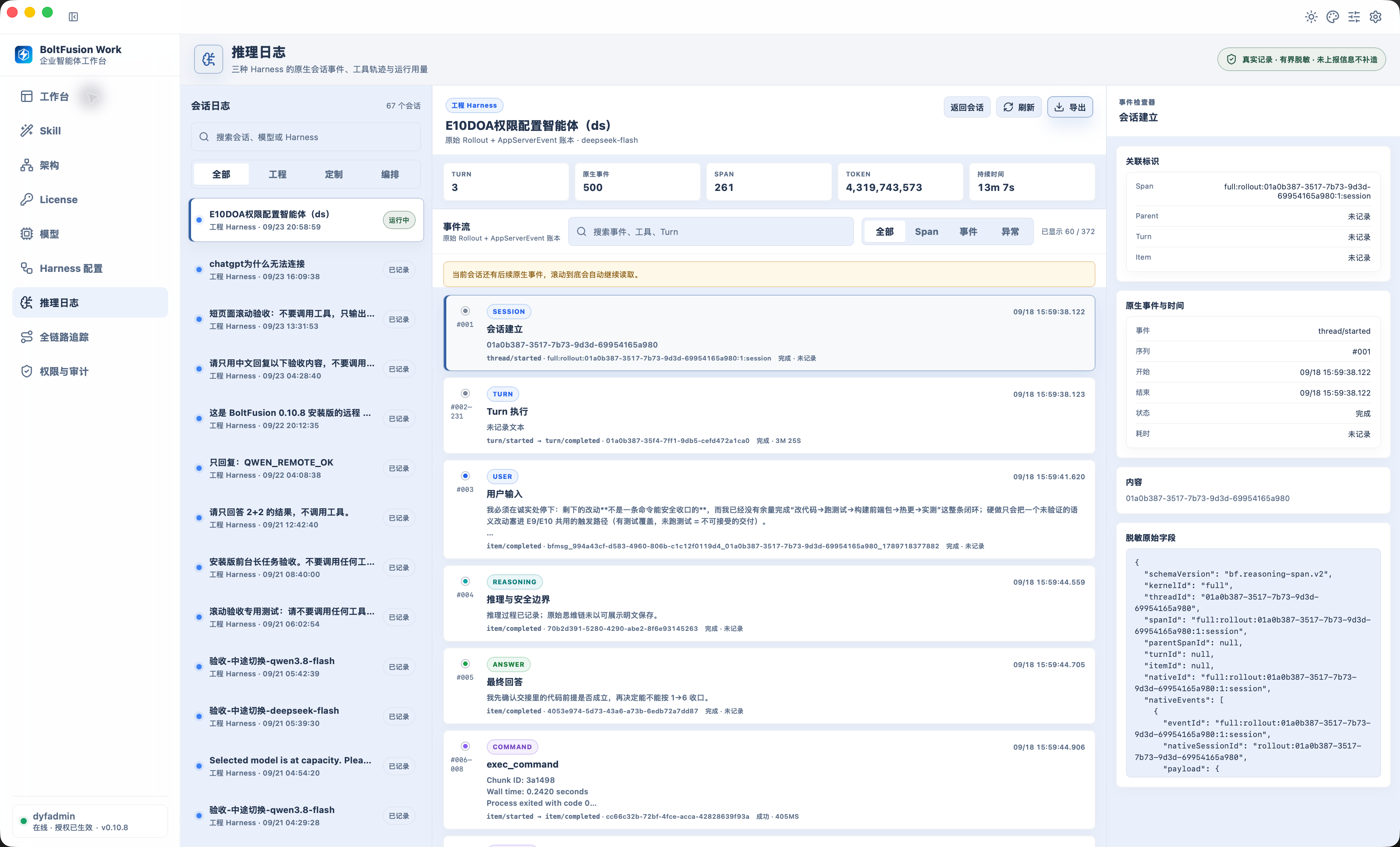
Reasoning Logs

Review reasoning and processing records during task execution, follow progress, and verify results.

Reasoning Logs
Reasoning Logs

BOLTFUSION WORK

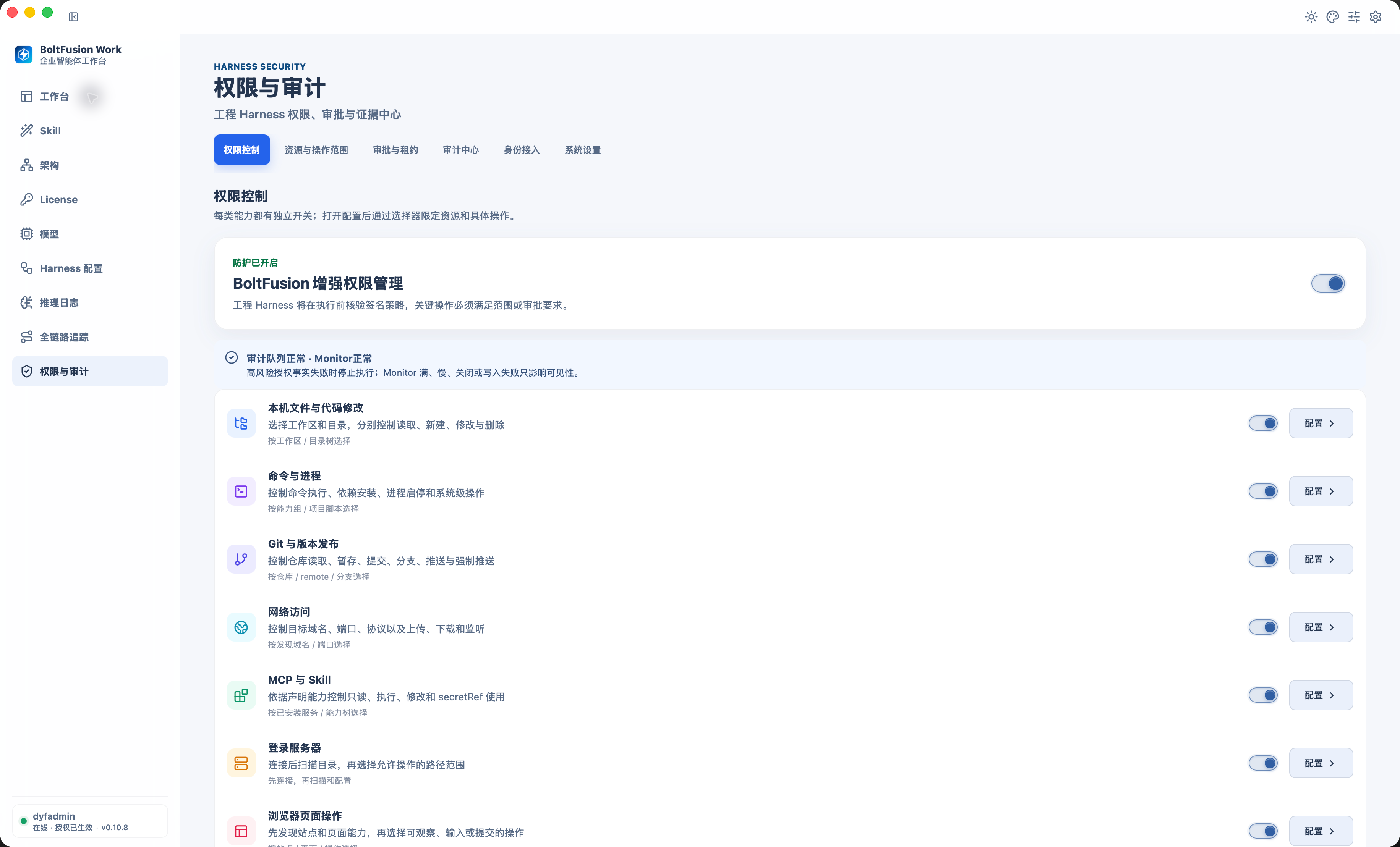
Permissions & Audit

Explore the workbench's permissions and audit interface, including execution permissions and related operation records.

Permissions & Audit
Permissions & Audit

Product interface examples. Actual capabilities and availability depend on the version and project configuration.

BoltFusion Agent Factory

Agent Factory

Agents built in BoltFusion Work use BoltFusion Agent Factory for governance. Build and debug in Work, manage centrally in the factory, and use Spec for the knowledge they need.

For E9 / E10 / BoltFusion Studio and other enterprise systems.

Work · Build

Build, debug, and refine agents around actual business tasks.

Agent Factory · Govern

Centrally manage agents built in Work, organizing their capabilities, tools, and execution flows.

Spec · Knowledge

Provide project knowledge, technical references, and context for agent development and execution.

Discuss agent development and governance ↗AI Delivery Service

BOLTFUSION SPEC · AI KNOWLEDGE BASE

Enterprise AI Knowledge Bases make project materials a basis for work.

Organize enterprise documents and business experience in BoltFusion Spec to inform everyday Q&A, implementation plans, and agent execution.

Organize Materials

Organize policies, manuals, requirements, and delivery documents by project and business topic.

Search & Cite

Find relevant materials for a question and check answers and solution recommendations against the original sources.

Apply to Real Tasks

Connect knowledge to Work and agents to support requirements analysis, solution writing, and implementation collaboration.

Discuss your knowledge base ↗AI Delivery Service

Business Digital Employees

Put AI agents to work on specific business tasks

Business Digital Employees organize knowledge, tools, and execution steps around clear objectives. First define the inputs, permissions, and expected results, then test their capabilities with real tasks.

Enterprise Knowledge and Q&A

Organize policies, interfaces, and project materials; search for relevant content and verify it against the original sources to support business analysis and execution.

Explore Knowledge Base capabilities ↓

Assisted Contract Review

Get suggested edits based on the original contract, have a person confirm which to apply, and review the changes and revision history.

View the contract review solution ↗

For operations involving data entry, submission, or document editing, clearly define authorization and human confirmation steps. Available capabilities depend on the system version, authorized data, and project configuration.


Download BoltFusion skills

Download a ZIP and import it into BoltFusion or a compatible tool. Node.js 22 or later is required.

E9 knowledge base

macOS / Windows

r26 · Updated (UTC+8)

Download ZIP 83 KB

E9 business operations

macOS / Windows

r26 · Updated (UTC+8)

Download ZIP 401 KB

E9 agent builder

macOS / Windows

r26 · Updated (UTC+8)

Download ZIP 431 KB

E10 knowledge base

macOS / Windows

r26 · Updated (UTC+8)

Download ZIP 83 KB

E10 business operations

macOS / Windows

r26 · Updated (UTC+8)

Download ZIP 2.1 MB

E10 agent builder

macOS / Windows

r26 · Updated (UTC+8)

Download ZIP 2.1 MB

General AI knowledge base

macOS / Windows

r26 · Updated (UTC+8)

Download ZIP 82 KB

AGENTS

Agents for Business

Choose capabilities for your enterprise systems and actual tasks.

E9 / E10

Intelligent Workflow Form Filling

Fill main forms and detail rows from conversations and attachments, verify the results, and let the user confirm saving or submission.

E9 / E10

Business Data Queries & Analysis

Query business data within the current user's permissions, organizing details, summaries, trends, and related results.

Documents

Document & Attachment Extraction

Extract fields from delivery notes, invoices, and other documents, retain source locations, and create a verification sheet.

E9

Form Rule Validation

Check required fields, dates, amounts, detail totals, and attachment requirements, highlighting items that need correction.

E9 Document Collaboration

Assisted Contract Review

Review proposed changes against the original contract, confirm edits manually, and retain acceptance and change records.

E9 / WPS

WPS Templates & Field Mapping

Map workflow fields to document locations, write them to a template after confirmation, and verify the saved result.

E10

Approval Authority Analysis

Analyze DOA policies and attachments, match approval roles, and identify rule conflicts and configuration changes.

E10

Organization & Personnel Matching

Match personnel by specified department, division, or role, highlighting gaps and assignment conflicts.

Explore agent demos

Open original demo library ↗

About this demo

Details