







- Version differences rely on consultants' memory
- If the page saves, it's done
- PC and mobile acceptance are disconnected
- Failures leave only screenshots and verbal conclusions
10 E10 AI BUILDER AGENT
Let AI connect E10,
Configure and Validate as You Go
An implementation approach for workflows, portals, eBuilder and interfaces in Weaver e-cology 10 (E10 / EC10). Check versions and permissions, execute within authorization, and inspect configuration, desktop, mobile and persisted results. This page is a simulated demonstration; real writes and publication require separate authorization.
Server-side E10 Knowledge BaseS / A+ / A / B / C ChannelsG0–G6 Authorization Gates
agent.ecology.e10.implementationDISCOVERYE10WorkflowPortaleBuilderInterface
modeSimulated Run
channelB · Page Adapter
terminalPC + Mobile
monitorSide-channel fallback available
Unified Agent APIInternal WorkExclusive delegation for process initiationRead-Only AI Querying
02 · OPERATING MODELBuild a Loop in ten steps,
Build a Loop in ten steps,
Each step has pass criteria
Not 32 hard-coded script sets, but an adaptive Loop driven by the target contract. Rediscover and preflight each new tenant, reusing patterns—not conclusions from previous tenants.
→
- Manual evidence + tenant read-only facts
- Configuration State, Endpoints & Persistence Readback
- Channel grades and downgrade conditions are transparent
- Failure Classification, Remediation, and Evidence Closure
01
Target Contract
Pass condition: Objectives and boundaries are unambiguousFreeze the target object, endpoint scope, permitted actions, prohibited actions, and acceptance fields.
03 · CAPABILITY MAPConfigure, Launch, Ask Questions,
Configure, Launch, Ask Questions,
Each has a unique scope of responsibility
The AI Builder Agent handles workflows, portals, eBuilder, interface discovery, and acceptance; the Workflow Initiation Agent is solely responsible for the workflow instance lifecycle, while AI Data Q&A remains read-only.
For E10 Implementation TeamsE10 AI Implementation AgentMODEL · DISCOVER · EXECUTE · PROVE
Solution hub→agent-api→Unified Work→E10 AI Implementation Agent→E10 TenantMonitor runs asynchronously in a side channel; Work is not exposed
04 · REAL TENANT EVIDENCEEgo sees the real E10,
Ego sees the real E10,
Screenshots remain read-only facts
Real pages are captured read-only in an independent Task Space using native browser cropping. Account details, process instances, business records, and sensitive request information are excluded.
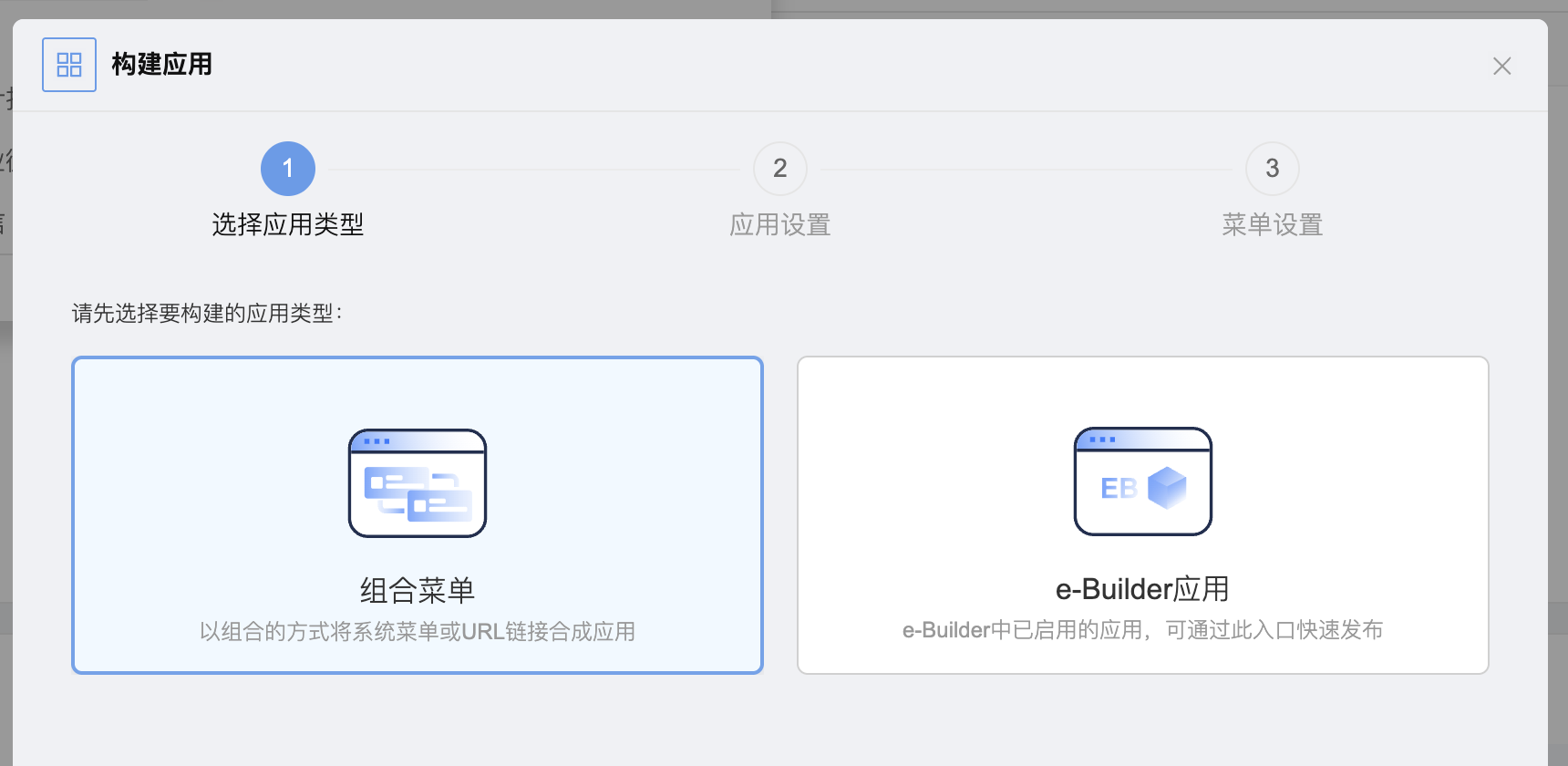
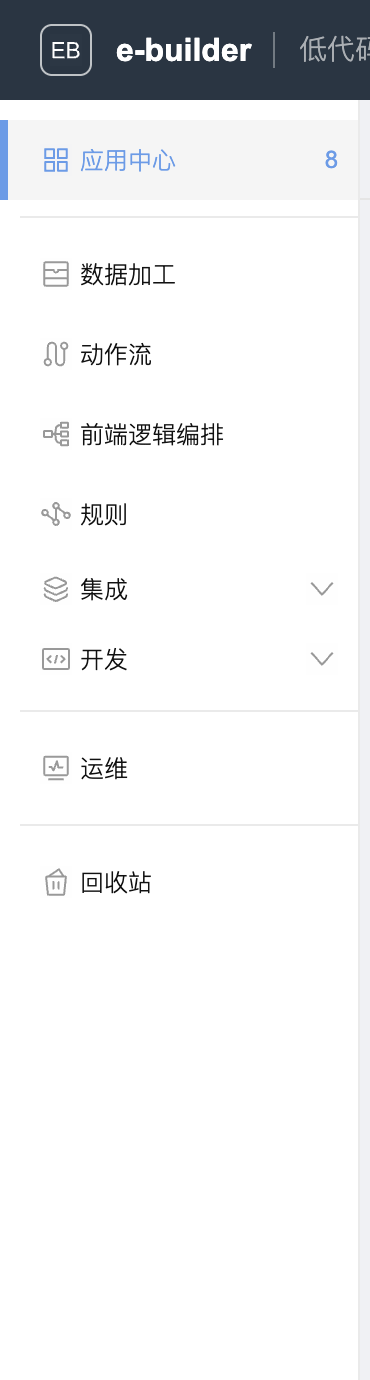
READ-ONLY EVIDENCE LEDGERNative browser cropping
- 01App Building Entry PointCombined Menu / eBuilder AppM1 + TENANT
- 02eBuilder Capability DomainData Processing / Action Flows / Rules / Integrations / DevelopmentTENANT
- 03Sensitive Business ValuesAccount / Instance / Record / Token0 FOUND
- 04Business writesave / enable / publish / submit0 ACTION
05 · PLAYABLE DEMOScenario switching is more than changing the title,
Scenario switching is more than changing the title,
Each Run has an independent status
Each of the six scenarios has its own object model, evidence level, authorization gate, layered readback, and failure and rollback branches. Switching scenarios does not carry over the previous scenario’s state.
Workflow DesignerSimulated builder canvas
E10 EVIDENCE PACKAGE
Simulated builder evidence package
06 · GOVERNANCE & ACCEPTANCEFrom key injection to experience feedback,
From key injection to experience feedback,
Seven authorization gates open progressively
This plan currently covers only general design and read-only sampling before G1; no writes to any live tenant have been triggered.
Stored securely locally; excluded from relays, logs, and source code
Pages, Metadata, Redacted Screenshots, API Catalog
Save but keep disabled and unpublished
Processes, portals, applications, and APIs are approved separately
Must delegate to the process-initiating agent
Read back the current state, then authorize separately
Redacted structure, failure modes, and templates only
100%Preflight Coverage
100%High-Risk Action Confirmation
100%Current Run Evidence Link
0Plaintext Credential Leak
0Downgrade unsupported channels
07 · DELIVERY ROADMAPFirst, complete an explainable simulation,
First, complete an explainable simulation,
then open up real building step by step
Each stage starts from a real baseline. HTTP 200, a running process, or successful file copying alone does not prove completion.
Nine-part narrative, six scenarios, complete state machine
Capability Matrix, Page Adapter, Zero Save
Allow saving; disabled and unpublished by default
Tiered Authorization by Module, Object, and Action
Transfer patterns across tenants; rediscover and preflight